VOICE NOTES · iPHONE & iPAD
On-device speech to text. Notes you can use.
Vola is an iPhone and iPad voice note app. Transcribe live speech on-device, with optional cloud AI summaries and questions.
CLEAR ABOUT YOUR DATA
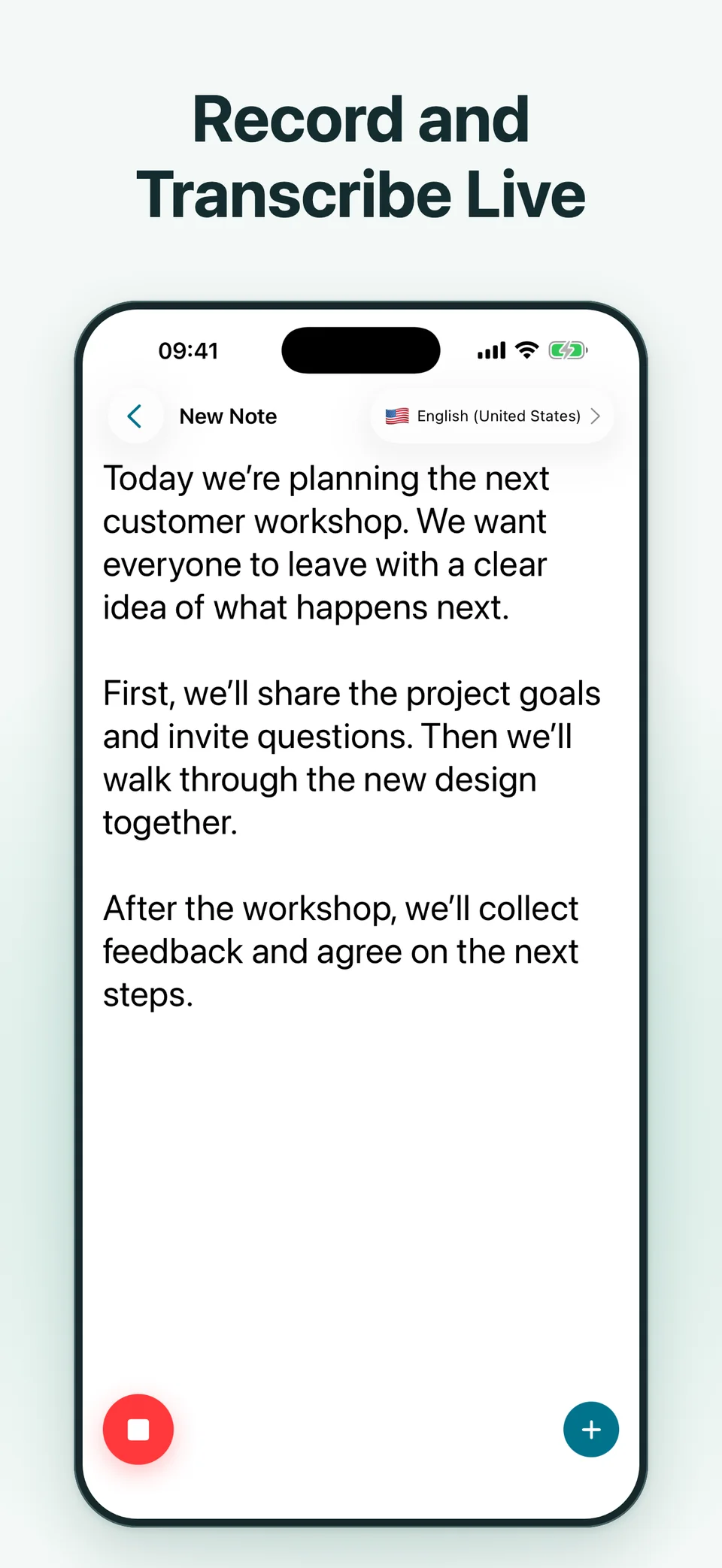
Live transcription, on your device.
Live voice notes use Apple’s on-device speech recognition. Your recordings and notes are stored locally. You can record and transcribe without enabling AI data sharing.
AI when you choose it.
With your permission, summaries and questions send note text to Google Gemini. Audio is not sent to Gemini. Imported-media transcription may use Apple’s network service, depending on language and device.
Read the privacy policy →From spoken words to useful notes
01
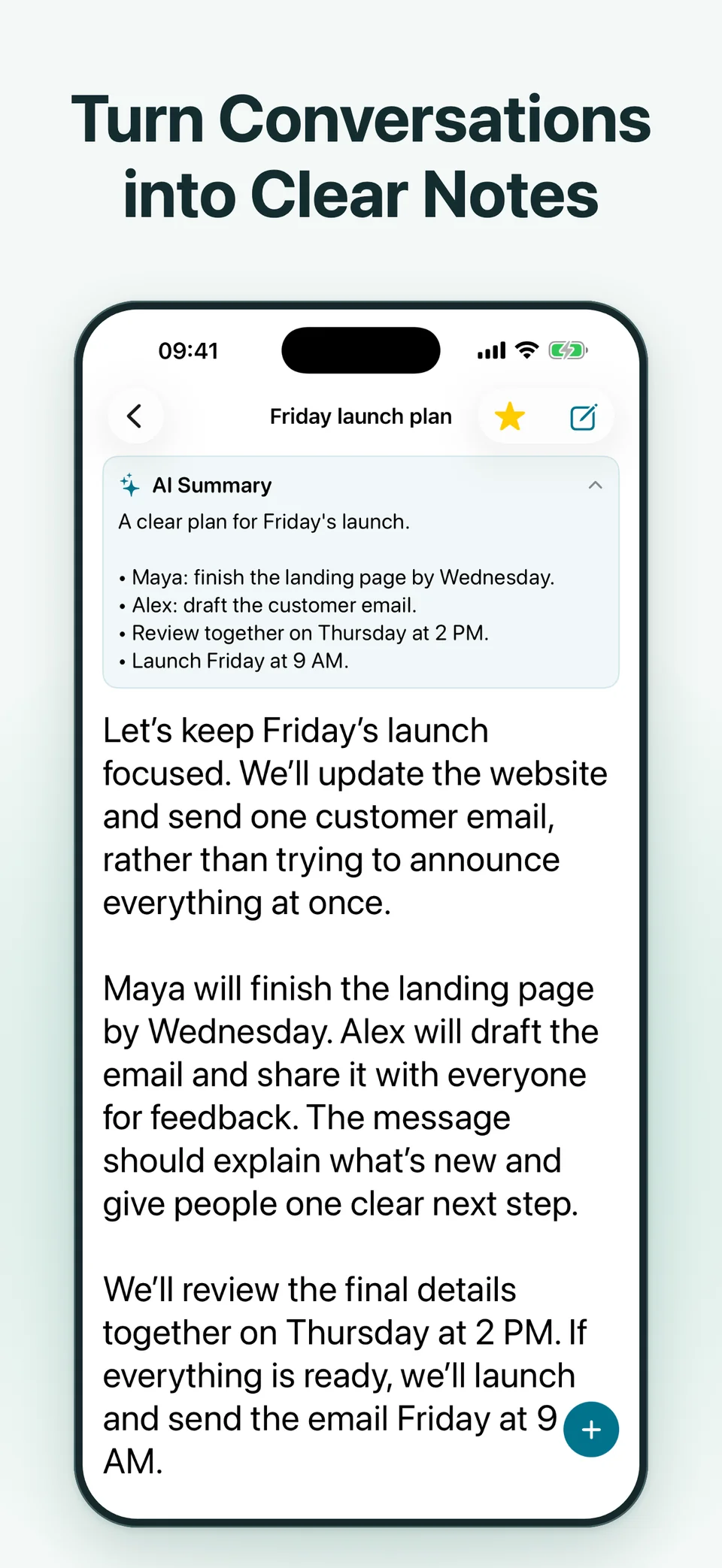
Review the key points, without starting over.
Turn a transcript into an AI summary of topics, decisions, and action items. Keep the original recording nearby to check important details.
Optional cloud AI requires sign-in, internet, available credits, and permission to share note text.
02
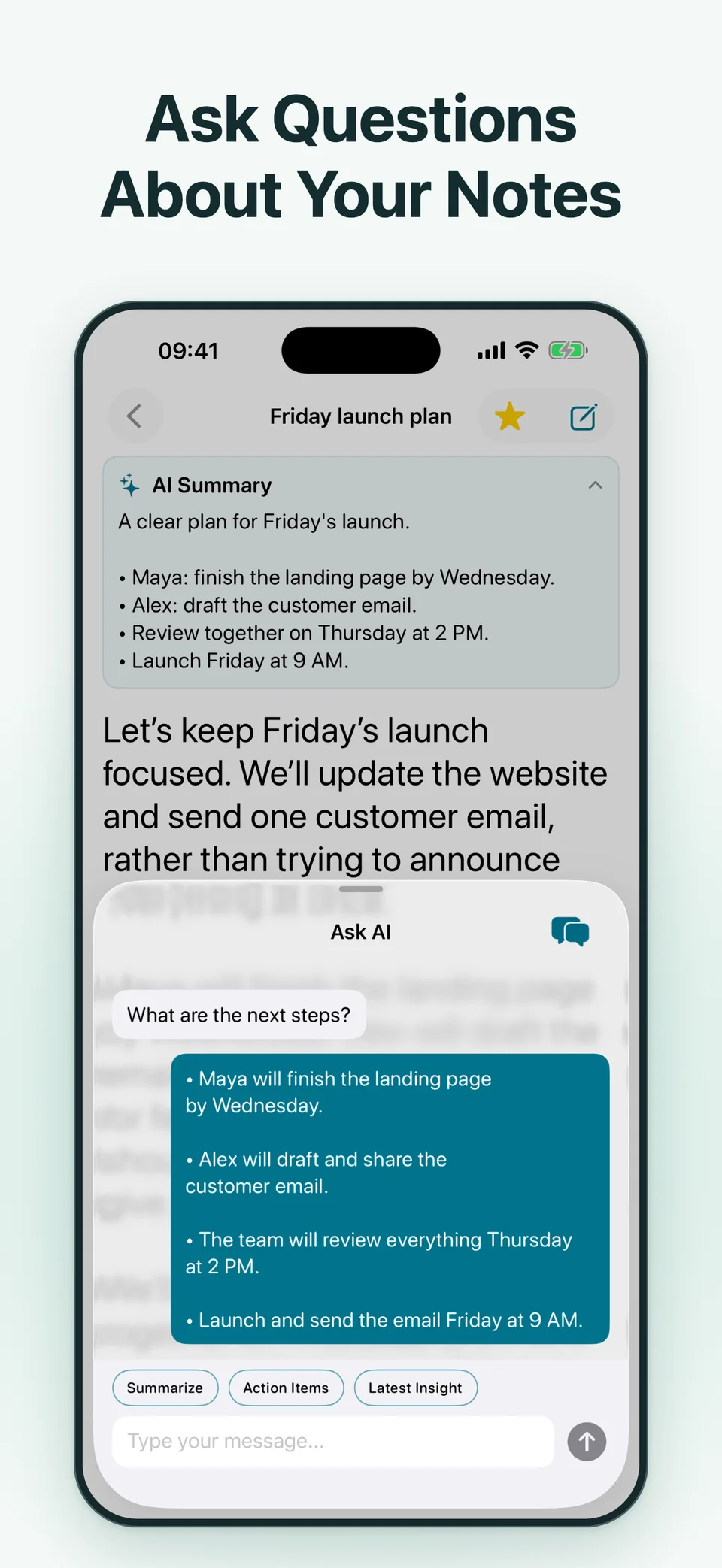
Ask your notes a question.
“What are the next steps?” Ask about a deadline or revisit a decision in your note. Use the answer as a starting point, then check it against the recording.
AI-generated answers can contain errors. Review important details before relying on them.
03
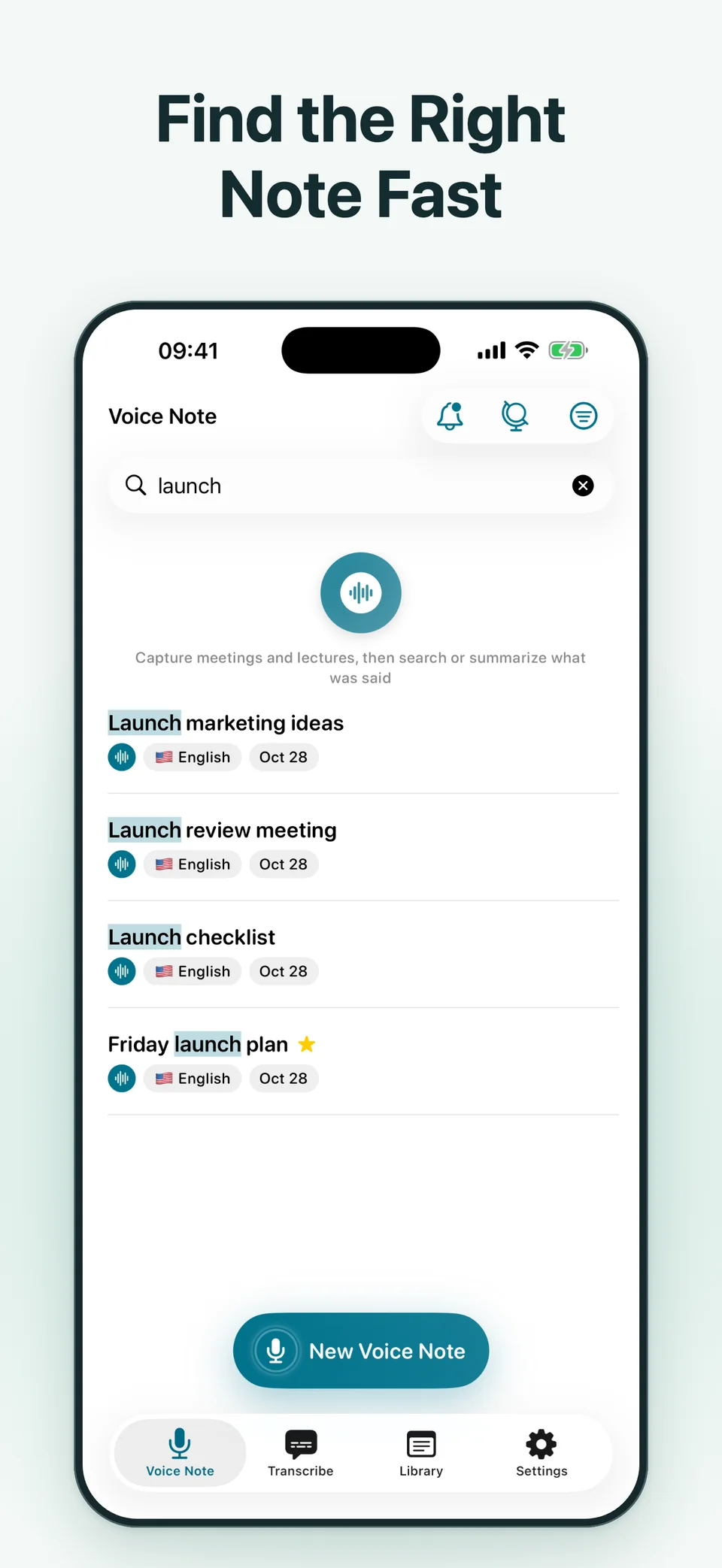
Find the thought you wanted to keep.
Search saved notes and transcriptions, then use tags and favorites to keep related ideas together. Edit text and highlight passages you want to revisit.
Translate supported languages and export notes or summaries as PDF or text. Availability depends on your device, language, and plan.
Already have the recording?
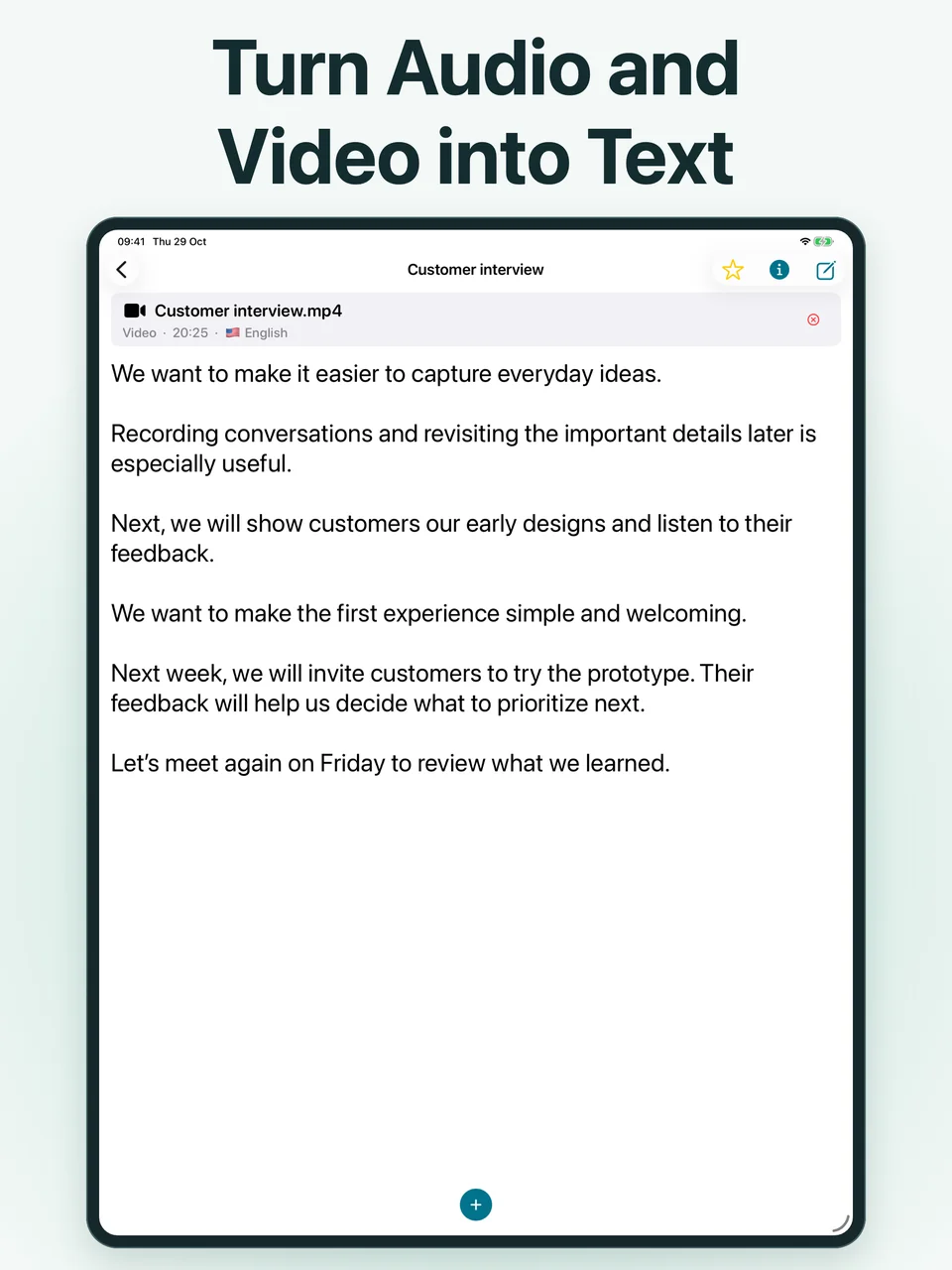
Import a supported audio or video file on iPhone or iPad and turn its spoken content into text you can read, edit, and search. Imported-media speech recognition may use network processing by Apple.
How Vola works
- 01
Record or import
Start a live voice note, or bring in a supported audio or video file.
- 02
Review and organize
Read the transcript, correct text, highlight useful passages, and add tags.
- 03
Go further with optional AI
Generate a summary or ask about your note after allowing AI data sharing.
Make room to listen.
Meetings
Keep a searchable record of discussions and review decisions afterward.
Lectures
Capture explanations and turn a long transcript into a useful study recap.
Interviews
Revisit what was said and check quotes against the original recording.
Language learning
Read along with live speech and use translation where supported.
Ask for any required permission before recording other people.
Questions before you record?
Does Vola work offline?
Live voice notes use on-device speech recognition. Language and device support still apply. AI summaries and chat require internet; imported-media transcription may also need Apple’s network service. Vola is not an entirely offline app.
Is my audio uploaded?
Vola stores recordings and notes on your device and does not upload them to a Vola storage server for synchronization. Live voice transcription runs on-device. Imported-media transcription may send audio to Apple for recognition. Optional Gemini features send note text, not audio, after permission.
What does optional AI receive?
When you allow AI data sharing, Gemini receives note or transcript text, the title and language when available, and your question and relevant conversation history when applicable. You can withdraw permission in Settings > AI data sharing to stop future requests.
Which languages are supported?
Speech recognition and translation support depend on your device, system, and selected language. Check the language choices available in Vola on your device. App interface languages are separate from transcription and translation availability.
Is Vola free?
Vola is free to download with limited usage. Paid subscriptions provide more features and usage allowances. Recording, transcription, and export depend on your plan. AI summaries and chat require a signed-in account, internet, and available AI credits. Check current plans in the app.
Can I import and share notes?
You can import supported audio or video files and export notes and summaries as PDF or text. Feature availability and usage allowances depend on your plan.
Your next conversation, easier to revisit.
Start with a voice note. Keep a transcript you can return to.

Free download with limited usage. Paid subscriptions unlock additional features and allowances.